


Print **Pakistan Post** shipping **Airbills (VPP / Parcel)** and perfectly aligned **Money Orders** directly from your **WooCommerce** orders. Two A5-landscape labels per A4 (portrait), barcode/QR, order items, and precise millimeter nudging for Pakistan Post Money Order forms.

Pakistan Post Airbill & Money Order (WooCommerce)
Why this plugin?
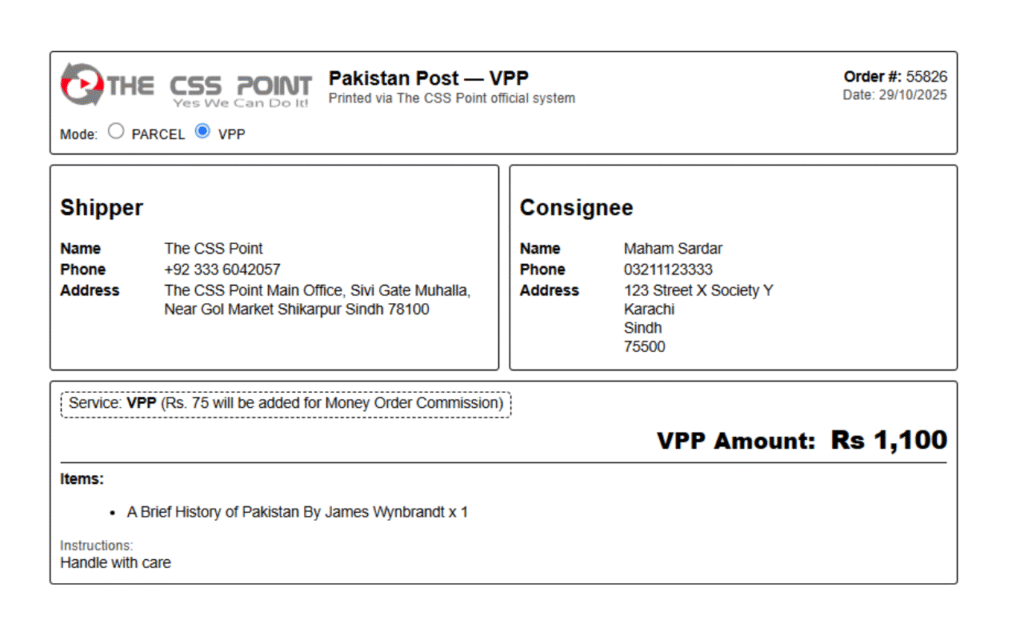
Pakistan Post doesn’t provide a native Airbill print. Manually typing **name, phone, address, COD/VPP, items** is slow and error-prone. This plugin **reads your WooCommerce order**, formats a clean airbill, handles **VPP math (total – Rs 75)**, and generates a **Money Order sheet** aligned to the official Pakistan Post form.
Airbill (VPP / Parcel)
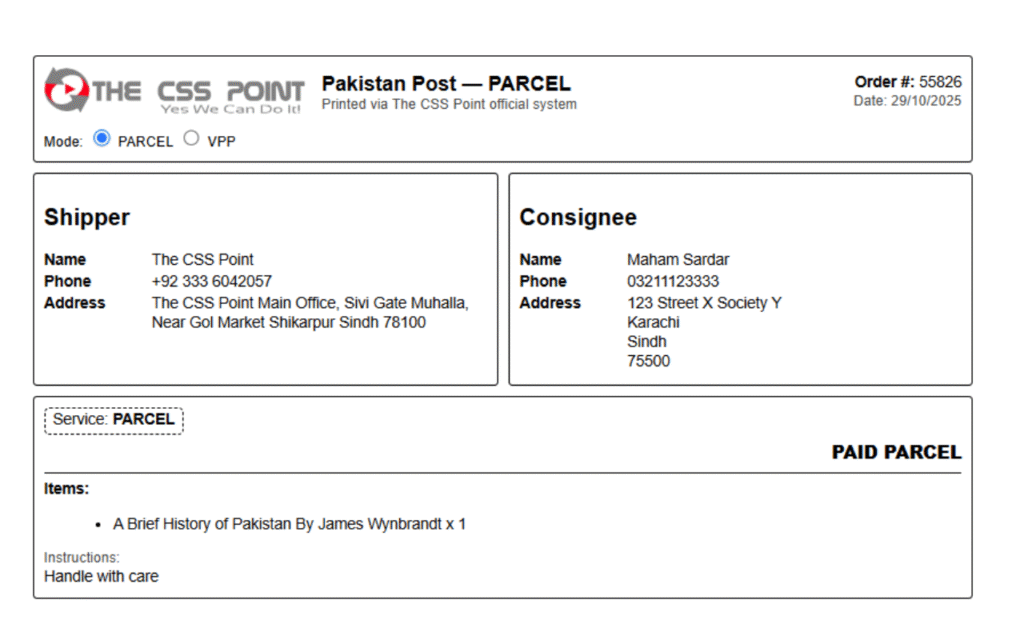
Switch between **VPP** and **PARCEL**. VPP automatically shows **VPP Amount** (Rs **total – 75**) and a commission note. Parcel shows **PAID PARCEL**.
Barcode & QR
Optional **Code-128 barcode** for order number and **QR** to the customer’s order view. Both load locally (no CDNs), WordPress.org compliant.
Money Order Alignment
Precisely position text on the **official Pakistan Post Money Order** (9.6 × 5.8 in). Adjustable **Nudge X/Y** in **millimeters**; add sender constants (name, address, postcode, phone).
Screenshots
Features
- 🎫 Airbill generator from WooCommerce order (shipper/consignee/phone/address/items/instructions).
- 🔀 Mode toggle: VPP or PARCEL (with proper labeling & math).
- 💴 VPP math:
VPP Amount = order total – Rs 75(single currency symbol, formatted). - 🧾 Items list + customer note (“Handle with care” fallback).
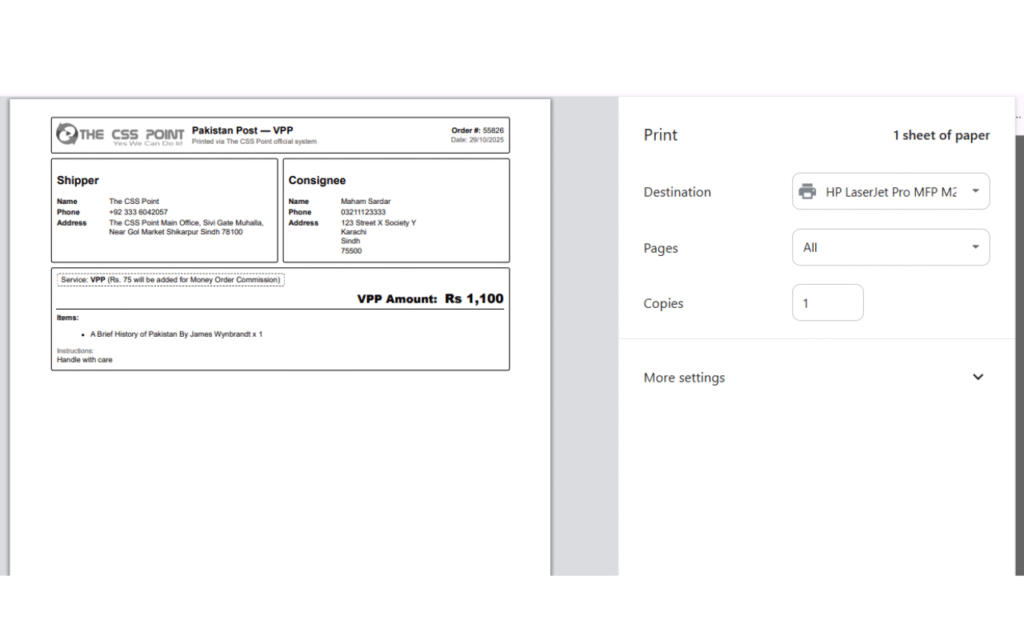
- 🧱 Two A5 landscape labels per A4 portrait for efficient printing.
- 📦 Weight badge + custom COD note.
- 🏷️ Barcode/QR (local JS, no CDN).
- ✍️ Money Order with sender constants + millimeter nudging, exact coordinates (9.6” × 5.8”).
- 🔒 Security/WPCS-clean: escaping, nonces, sanitization, local assets.
- 🧩 WordPress.org compliant (passes Plugin Check with zero errors).
Installation
- Install and activate WooCommerce.
- Upload and activate Pakistan Post Airbill & Money Order.
- Go to WooCommerce → Airbill Settings and enter:
- Logo URL, Shipper details, Default weight/COD note
- Enable Barcode or QR (optional)
- Money Order → Sender name/phone/address/postcode
- Money Order → Nudge X & Nudge Y (mm) for alignment
How to print
- Open WooCommerce → Orders.
- Use the Print Airbill or Money Order (VPP) button on any order.
- Or select multiple orders → Bulk actions: Print Airbills / Print Money Orders.
- Printer settings for Airbill: Paper A4, Portrait, Margins None, Scale 100%.
Money Order Alignment Notes
The Pakistan Post Money Order area is treated as 9.6″ × 5.8″. We position fields using an anchored box with internal padding.
- VPP Amount (numbers): 3.2″ from top of money order area, left aligned.
- Words line: Printed in uppercase with “ONLY” appended once at the end.
- Sender block: Name, Address L1/L2, “SHIKARPUR SINDH 78100” (bold), phone placed slightly right of center.
- Consignee blocks: Name, City, State/Province, with recipient phone on the same axis as sender’s phone; repeated at receipt area with amount printed in numbers again.
- Use Nudge X/Y (mm) in settings for micro-adjustment per printer.
Compatibility
- WordPress 5.8 – 6.8+
- WooCommerce 5.x – 9.x
- PHP 7.4 – 8.3
- Tested with common caching (LiteSpeed/Cloudflare). Printing pages are not cached.
FAQ
Yes. VPP Amount = order_total – 75. We also ensure only a single “Rs” appears.
Yes. Each airbill is A5 landscape; two labels render per A4 in portrait automatically.
WordPress.org disallows CDN assets. We bundle local JS for JsBarcode and QRCode, fully compliant.
Use Nudge X/Y in millimeters under Money Order settings. Print at 100% scale, no margins. Adjust by small steps (0.5–1.0 mm).
No. All printing happens locally. No external API calls; barcodes/QR scripts are loaded from your server.
Changelog
1.0.0
- Initial release — Airbill (VPP/Parcel), Money Order alignment, local barcode/QR, WPCS & Plugin Check clean.
Support & Feedback
Need help or feature request?
- Open a ticket via our contact form.
- E-mail: info@thecsspoint.com
Documentation (Quick Guide)
Airbill Settings
- Set Logo URL, Shipper Name, Phone, Address.
- Toggle Show Barcode and/or Show QR.
- Paper size: A5 recommended (two per A4 portrait).
Money Order Settings
- Enter Sender Name / Phone / Address L1, L2 / Postcode (78100 example).
- Adjust Nudge X/Y (mm) per printer. Start with 0/0 and move slowly.
- Print at 100% scale (no “Fit to Page”), margins None.
Order Page Buttons
- Open any order → Actions → Print Airbill / Money Order (VPP).
- Bulk actions supported for multiple orders.